
Free Studio
You don’t need
a finished plan.
Ask AI, save your ideas, compare courses and work on your drafts. Start free; add personal feedback or meetings when you need them.
Create Your Free StudioStudent Studio
Ask a question. Find your next step. Keep your university research, writing and plan together in a free workspace built for your application.
The idea you save today can shape tomorrow’s research, plan or paragraph.
Bring a question, a paragraph or an idea. Get focused help with applications, writing and university choices, grounded in TCO’s guides and the details you share.
Free Studio
Ask AI, save your ideas, compare courses and work on your drafts. Start free; add personal feedback or meetings when you need them.
Create Your Free StudioPersonalized Assistance
Choose a service for direct feedback, a meeting or a personal report. Its preparation steps, submitted work and feedback stay together in Personalized Assistance.
Compare services and included workCreate your account and choose your application route. You can start working immediately and add more detail as you go.
Add universities and deadlines, record experiences and work on your drafts. Your checklist shows what needs attention next.
Compare the scope, meetings, reviews and full fee of a service. After confirmed payment, it appears in your Studio with a Get started button. Your receipt and service welcome arrive by email.
Share your goal and the material you already have. For a draft-review service, submit your existing work first; we release written feedback before the discussion. For a service with a starting meeting, choose an available time and we confirm it. Your Studio shows your next step, agreed start date and included meetings.
Read our feedback, discuss the questions it raises and work on your next draft or decision. Your revisions stay together. After each meeting, you can return to the recap and agreed actions instead of relying on memory.
We check the work included in your service and release a closing summary. You verify the final facts and submit through your own university accounts. Your completed work and receipts remain available under our retention policy.
We aim to reply within two business days. Standard draft reviews and Assessment reports take three to five business days once the required meeting and materials are complete. Larger batches have agreed dates. Business days are Monday to Friday, excluding notified holidays.
Available times start at least three days ahead: one day for us to confirm and two days for preparation. We aim to confirm within 24 hours. Required materials are due at least 24 hours before the meeting; if they are missing, we will ask you to choose a new date.
Your Studio holds the conversation, shared work and feedback. Email notifications bring you back when something needs your attention. Referees write their own references, and you choose what to share with a parent or guardian.
Learn who the service is for, what it covers and how to begin.
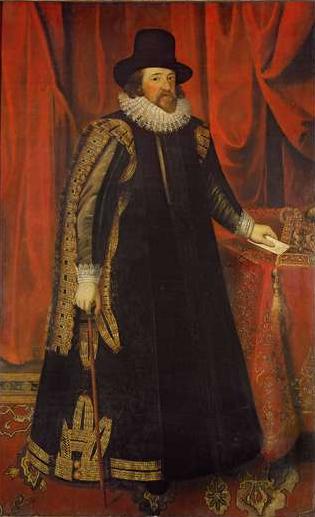
“Read not to contradict and confute, nor to believe and take for granted, nor to find talk and discourse, but to weigh and consider.”
You’ll work directly with me, Adviik Singh Virat. I conduct the meetings, research your options and review the drafts included in your service. The Assessment is a defined starting point: a personal meeting, written review and plan, and a follow-up.
I support US and UK undergraduate applications, non-MBA master’s applications and US transfers. Engineering, materials, manufacturing, industrial systems and related management are my main subject areas. If you’re considering another subject, we’ll discuss whether my experience suits the help you need. MBA courses are outside the service.
Choose Student Studio beside Cart, create a free account and start with your subject interests. Save a reflection, investigate a course and choose one next task. When you want personal advice, compare the included work and full fees under Services & fees.
You write each draft. We help you decide which experiences to explore, make your ideas clearer and understand what to improve in the next version. You check the final facts and submit your application. Referees write their own references, and we follow the university’s rules on outside help and AI.
No. Universities and other bodies make their own decisions. TCO cannot guarantee admission, an interview, scholarship, visa, study credits, job, internship or grade. Your fee pays for the agreed advisory work.
Each package lists the meetings, applications, documents and review limits included. The current service fees appear on each service page and in your cart. GST is not charged. All new bookings are paid in full upfront. University fees, tests, travel and outside services cost extra. Extra work needs your written agreement on price and dates.
Yes. Several packages include parent meetings, giving families time to discuss priorities, practical questions and progress. For students under 18, a parent or guardian enters the agreement. Adult students decide which information can be shared with their parents; we agree that arrangement at the start.
The platform, at a glance
Every digital Studio tool and workshop is free. Purchase a service when you want our direct advice, meetings or personalized reports. Your service lists exactly what is included.
| Feature | What you can do | Access |
|---|---|---|
| Your overview | Your next action, application areas, checklist progress, upcoming meeting and latest feedback. | Free |
| Application pathways | UK and US undergraduate, US transfer and non-MBA master’s preparation. | Free |
| Subject interests | Short questions that connect what interests you with something to explore next. | Free |
| Learning record | Save reading, activities, projects, your contribution and what changed in your thinking. | Free |
| Application tracker | Your universities, official deadlines, preparation progress and adjustable checkpoints. | Free |
| Application areas | Academics, experience, references, tests, writing and course fit, adapted to your pathway. | Free |
| Free TCO Guides | Practical reading with a small action you can use in your own preparation. | Free |
| Privacy and portability | Your notes and drafts stay private. Download your saved records from Profile & privacy. | Free |
| Spike Building | Develop a question, investigation and reflection in a saved project workspace. | Free |
| Application Workshop | Build and revise a response from your own evidence and reasoning. | Free |
| Decision Planner | Compare options against priorities, verified facts and unresolved questions. | Free |
| Interview Practice | Prepare examples and practise explaining your thinking. | Free |
| Reference Brief | Keep factual notes a referee can use, with relevant course context. | Free |
| Course Fit Workshop | Connect specific course features with the work you want to pursue. | Free |
| Extended workshops | Worked examples and exercises on evidence, writing and course fit. | Free |
| Purchased support | A service card with preparation, included work and remaining allowances. | Service scope |
| Private documents | PDF and Word uploads, version history and time-limited download links. | Service scope |
| Meetings | Request an available slot; TCO confirms it and supplies joining details. | Service scope |
| Feedback and reports | Return to released comments, reports and the version submitted for review. | Service scope |
| Planning project checks | Share one agreed project for up to three included progress checks. | TCO Planning |
| Orders and receipts | Review purchase status, receipts and the support activated for your account. | Purchased services |
| Service changes and closing history | Request an arrangement change and keep your released closing summary. | Service scope |